“I need a big screen.” This is often the start of a conversation with clients planning an event. It is a reasonable statement, which triggers our display selection process.
At HB Live, we approach technology selection differently. We are trying to help you share your content and deliver a message in the most effective way possible. Before we can recommend the right solution, we need to understand your event. In fact, the quality of our recommendation is directly tied to the quality of the information we receive upfront.
We offer a wide array of solutions and our recommendation will be based on years of experience producing exceptional events. While this guide may help you understand the selection of one screen, many events require several screens to meet visibility requirements. More on this later.
Essentially, Goals + Content + Audience + Venue + Logistics + Budget = The right choice
Start With Your Event Goals
Every successful event begins with a clear understanding of what success looks like. Clients might “want a big screen”, but the overall event style and goals will influence every decision.
Our highly effective approach, and how we guide clients, is to first identify the desired outcome and then determine which technology best supports it. We’ll say something like “tell us about your event in your own words”.
Is your event designed to raise funds? Educate attendees? Celebrate achievements? Increase brand awareness? Is your content central to the theme, or is it strictly for branding or background? Are you considering i-Mag, or showing a live feed of a remote presenter? Each objective requires a different visual strategy, and this is often where we begin shaping recommendations.
When technology decisions are guided by goals rather than trends, the result is a more meaningful and impactful attendee experience. For example, 4k Video Monitors or Projection provides great detail for critical viewing; massive LED Walls provide visual and brand impact.
Which Moments Matter Most?
Not every moment of an event carries the same weight.
This is one of the key areas where we guide clients, especially when balancing budget and impact.
Some moments have a greater influence on audience engagement, emotional connection, and desired outcomes. These key moments often include:
- Opening sessions and keynote presentations
- Fundraising appeals and impact videos
- Awards presentations and recognition segments
- Sponsor activations and branding opportunities
- Closing messages and calls to action
Identifying these critical moments early helps ensure visual technology investments are focused where they can deliver the greatest impact. This is also where we may recommend investing more heavily, or in some cases, advise against overbuilding less critical portions of the program.
Identify the Most Important Content
Once event goals have been established, the next step is evaluating the content that will be presented. The best place to start is with a list. Create a list of every visual that you expect to put on the screen. If you are unsure if the marketing team will play the new commercial, add it to the list (you can always take it off later). Your list might look like this:
- PowerPoint - CEO presentation
- Excel Spreadsheet - CFO summary
- Marketing Video
- Zoom presenter
- i-Mag from the in-room camera
- Sponsor logos
- Software training or Demo
Also important is to consider what will be on the screen before, after, and in between the presentations.
Not All Content Is Created Equal
A common mistake is treating every piece of content as equally important.
For example, a fundraising gala may include four hours of programming, but the most important content could be a single three-minute impact video that inspires donations. That video deserves a display solution capable of delivering maximum emotional impact.
If you are hosting a day-long software training session, we’ll select a screen size and resolution that offers comfortable viewing, not fatiguing.
This is also where we often guide clients not to skimp on visual quality for those key moments, while finding ways to extend the value of that investment across the rest of the event.
Visual technology recommendations should always align with the significance of the content being displayed. Now that we know your goals and about your content, let’s talk screen size and technology.
Audience Size and Viewing Distance
The size of the audience and their distance from the display directly influence screen selection.
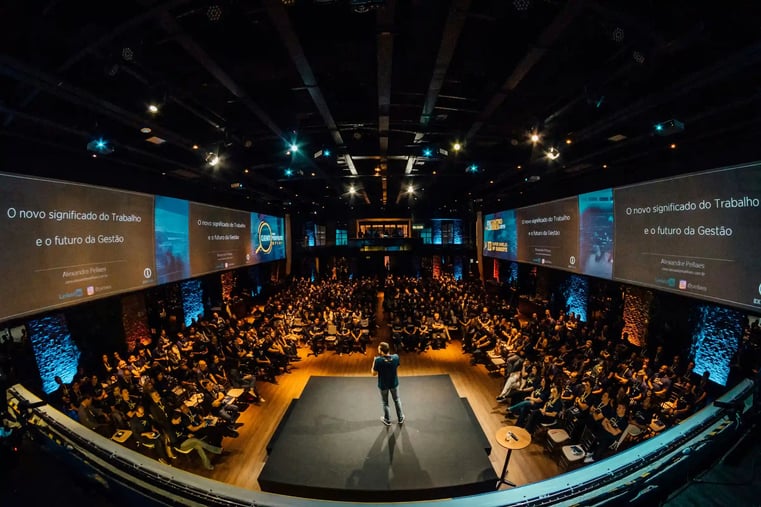
A small board meeting may only require a modest display solution, while a large general session with hundreds or thousands of attendees demands significantly larger visual support.
Screen size should always be based on the furthest possible viewing distance rather than audience size. Thirty people seated theater-style have a shorter viewing distance than seated at a large U-shape table.
Content must remain readable and visually engaging from every seat in the room. Text, graphics, and video elements should be clearly visible regardless of audience location.
Viewing Distance Divided by 6 General Rule
A quick rule of thumb is to take the furthest viewing distance and divide by 6 - this would equal the display height (not diagonal). When the content is highly detailed, go up a size. Use multiple displays of different sizes when the seating configuration is not conducive to a single display.
|
Farthest Viewer Distance |
Display Class (Diag) |
| Less than 15 ft | 55-65" |
| 15 to 25 ft | 75-85" |
| 25 to 35 ft | 85-100" |
Sample Direct View Monitor Sizing by viewer distance
|
Farthest Viewer Distance |
Common Projection Screen Size |
| 30-40 ft | 6 x 11 |
| 40-50 ft | 7.5 x 13 |
| 50-60 ft | 9 x 16 |
Sample Video Projector Screen Sizing by viewer distance
What Screen Sizes Work Best for Different Event Types?
The type of event and expected audience size play a major role in determining the ideal LED screen size. The table below provides a simple reference showing recommended screen sizes and pixel pitches for a range of common event types. While these recommendations offer a useful starting point, every event should be assessed individually to achieve the best viewing experience.
|
Event Type |
Audience Size |
Recommended Screen Size |
Pixel Pitch |
|
Corporate boardroom |
10–30 |
6×3.5 ft to 8×4.5 ft |
P2.6mm |
|
Conference breakout room |
30–80 |
10×5.6 ft to 12×6.75 ft |
P2.6mm |
|
General session / keynote |
100–500 |
14×8 ft to 20×11.25 ft |
P2.6mm |
|
Trade show booth |
20–100 |
10×5.6 ft to 16×9 ft |
P2.6mm |
|
Outdoor concert / festival |
500–5,000+ |
20×12 ft to 40×22 ft |
P3.9mm–P5.9mm |
|
Gala / awards ceremony |
150–600 |
16×9 ft to 24×13.5 ft |
P2.6mm |
Source: https://eventstecnology.com/blog/led-screen-size-guide-for-events-2026
Sightlines Matter More Than You Think
Poor sightlines can undermine even the most sophisticated display technology setup. Attendees should never struggle to see important content due to obstructions, room design, or display placement.
A couple of examples:
Viewing Angles: A really wide room with a single screen in the middle causes the audience at the far right or left to sit well beyond the maximum recommended 45 deg viewing angle. This is where multiple displays are appropriate.
Architectural Obstructions: We find columns in all kinds of event spaces. Adding a display at each column solves this issue.
Ceiling Height: When your content calls for a large projection screen, remember that the bottom of the screen needs to be visible by the entire audience. Choosing too large of a screen cuts off the bottom of the projected image from a majority of your audience.
Seating plans: Using certain conference-style seating (e.g., U-Shape, Delegation) can cause the participants seated next to each other to block their neighbors’ view. Another case for multiple displays.
Careful planning helps ensure every attendee has a clear view of the content being presented. In many cases, we may recommend additional screens or repositioning rather than simply increasing size.
Understand the Venue Constraints
Visual technology decisions are not made in isolation. Even the most impressive display solution must fit within the realities of the venue itself. Access points, room dimensions, rigging capabilities, setup schedules, and venue regulations all influence what is possible.
Many production challenges are not caused by the technology itself, but by limitations within the space. These are identified up front in the selection process and ensure recommendations are realistic and executable.
Can the Equipment Fit in the Building?
One of the most overlooked aspects of event production is equipment access. Large displays and staging components must physically fit through the venue's access points.
Two of the most common challenges:
- Elevator dimensions: if no freight elevator, what is the size of the most accessible elevator?
- Loading access: is there a dock or ramp into the space?
This is something we evaluate early. If equipment cannot get into the space, we will recommend alternative solutions such as smaller displays or portable projectors with folding screens.
Other Venue Limitations
Some venues impose limits on rigging, ceiling loads, installation times, or staging configurations. When working with larger audiences of over 1,000 people, we start thinking about huge screens that are rigged from the ceiling.
This is where we are concerned with:
- Ceiling height restrictions
- Rigging capabilities
- Venue-specific regulations (e.g., Union or In-House Contracts)
- Power
- Equipment placement limitations
How Much Time Do We Have to Set Up?
During our planning phase, we’ll be asking not only what time the event starts, but also what time do the doors open? If the room needs to be set up for breakfast an hour or more before the first presentation, it impacts our plans.
Additionally, some venues limit access to commercial loading areas like the dock and freight elevators or require scheduling a slot in advance. Be sure to understand access to the venue we’ll be working in.
Budget
The perfect recommendation is only perfect if it fits into your budget. Be candid up front with your planned budget to help us guide the solution.
Commonly forgotten cost factors:
Delivery fees may vary depending on the size and quantity of the display(s).
Setup - smaller displays can be set up by a single technician. As the size increases, more hands are required to lift the display. Video projection may require a skilled technician to tweak and install the projector. As the screens get bigger, the labor required to set up your event grows too.
A note on display pricing: We often hear clients say, “But I can buy a TV for the price of the rental”. Please understand that the rental cost also incorporates the cost of the shipping case (which can cost 3-5 times more than the monitor), and the cost to store, insure, and maintain the display.
The Recommendation
At this point, we've gathered everything we need to make an informed recommendation. Rather than starting with a specific piece of equipment, we step back and look at how all of the pieces fit together. Your event goals, audience, content, venue, logistics, and budget all influence the final solution.
In many cases, there isn't a single "right" answer. A keynote presentation may benefit from a large LED wall, while breakout rooms are better served with video monitors. A ballroom might call for projection with additional delay screens to improve sightlines. Sometimes, the best recommendation isn't spending more, it's choosing a simpler solution that better matches the event.
This is where experience makes the difference. Having produced events of every size, we've seen what works, what creates unnecessary challenges, and where it's worth investing for maximum impact. Our goal isn't to recommend the newest or most expensive technology, it's to recommend a solution that helps your audience see, understand, and engage with your content.
Choosing Between LED Walls, Projection, and Displays
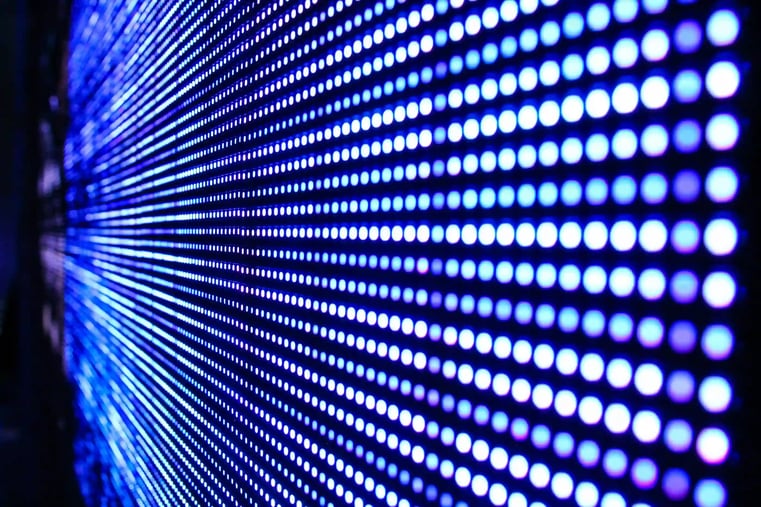
Once goals, audience needs, content requirements, and venue constraints have been evaluated, it becomes easier to select the appropriate technology.
Each display solution offers distinct advantages and limitations.
When LED Walls Make Sense
LED walls have become increasingly popular because of their brightness, flexibility, and visual impact. They tend to be the most expensive choice with the most logistical challenges.
They are often an excellent choice for:
- High-impact moments - you really need WOW
- Large audience environments
- Bright venues (or outdoors)
- Custom stage designs
- Dynamic branding opportunities
LED technology delivers exceptional image quality and visibility, making it ideal when visual impact is a top priority.
When Projection Is the Better Choice
Projection remains an effective solution for many event environments.
It is often well-suited for:
- Traditional presentation settings
- Budget-conscious events
- Large image, critical viewing requirements
- Controlled lighting environments
Projection can provide impressive visual coverage while maintaining cost efficiency when venue conditions are favorable.
When Monitors are the Better Choice:
There are countless times when video monitors are the best choice:
- Smaller audiences
- Physical space is not conducive to video projection
- Time constraints on setup
Monitors and Video Projectors compete for best price/value depending on your setup.
When Additional Displays Add Value
Primary screens are only part of the visual experience. Supplemental displays can improve engagement and accessibility.
Examples include:
- Side screens for audience visibility
- Confidence monitors for presenters - these can also be placed in a U-shape setup for audience viewing
- Delay screens flown partway back in a ballroom
Get the Most Value From Your Displays
Display technology often represents a significant portion of an event budget, making it important to think beyond the primary presentation itself. Displays should not simply exist for a single keynote or video moment. Instead, they should contribute value throughout the attendee experience.
When used strategically, screens can support branding, sponsor visibility, donor recognition, wayfinding, audience engagement, and communication before, during, and after the main program. Maximizing how displays are used helps organizations increase the return on their investment while creating a more cohesive event experience.
Don't Invest in Displays for Just One Moment
A common mistake is allocating substantial resources to premium display technology that is only used for a few minutes.
This is often where we guide clients to rethink the approach.
Instead, planners should look for opportunities to keep displays active throughout the attendee journey.
Displays should contribute value before, during, and after the primary presentations.
The more frequently visual technology supports attendee engagement, the greater the return on investment.
Ways to Use Displays Throughout the Event
Displays can support a wide range of event objectives, including:
- Welcome messaging
- Event branding
- Sponsor recognition
- Donor recognition
- Fundraising thermometers
- Live camera feeds
- Event schedules
- Session information
- Social media integrations
- Calls to action
By leveraging displays throughout the event lifecycle, organizations can create a more cohesive and engaging experience.
Up-Leveling Your Event Production
Once you've chosen the right display, the next question is often, "How do we make the event look even better?"
Not every event needs additional production elements, and they're not always the best use of your budget. But when they make sense, they can completely change the look and feel of a room and create a more memorable experience for your audience.
LED Wall Backdrops
Most people think of LED walls as giant presentation screens, but they can do much more than that. An LED wall backdrop becomes part of the stage itself, giving you the flexibility to combine presentations, videos, branding, and motion graphics into one seamless visual experience.
They're especially effective for conferences, fundraising galas, awards ceremonies, and product launches where creating a strong first impression is important. Instead of relying on traditional stage backdrops, the entire look of the stage can change throughout the event with the content on the screen.
Beyond the Main Screen
Great events aren't built around a single screen. They're created by bringing together the right mix of technology for the space and the audience.
Depending on your event, that could include scenic lighting, live camera (IMAG), confidence monitors for presenters, delay screens in larger rooms, or additional displays throughout the venue. The goal isn't to add more equipment. It's to make sure every attendee has a great experience, every presenter feels confident on stage, and every visual element works together to support your event.
How HB Live Recommends Visual Technology
At HB Live, every visual technology recommendation is customized to the unique needs of your event. To help us recommend the right solution, please have the following information ready before you call:
-
Event goals and objectives: What do you want attendees to experience, learn, or accomplish
-
Expected audience size: How many people will attend?
-
Room layout and seating configuration: How will the audience be arranged within the space?
-
Venue specifications: Share any available venue details, including room dimensions, ceiling heights, power availability, and existing AV capabilities.
-
Content requirements: What type of content will be displayed, such as presentations, videos, live camera feeds, graphics, or branding?
-
Event schedule: Provide key dates and times for load-in, rehearsals, event sessions, and load-out.
-
Budget priorities: What are your priorities, and are there any budget parameters we should consider?
Why This Information Matters
No two events are exactly alike. Venue logistics, audience expectations, content requirements, and budget considerations all impact the technology solution that will work best for your event.
Having these items ready before you call allows our team to provide more accurate recommendations and design a visual technology solution that supports your event goals.
Conclusion
Choosing the right visual technology for an event begins with understanding the event itself, not the equipment.
Successful visual technology planning requires balancing event goals, audience experience, content priorities, venue logistics, setup requirements, and budget considerations. By focusing on outcomes first and technology second, organizations can create more engaging, impactful, and memorable experiences for attendees.
Whether the solution involves LED walls, projection systems, supplemental displays, or a combination of technologies, the objective should always remain the same: delivering the right message to the right audience in the most effective way possible.
Working with an experienced AV partner early in the planning process can help identify the best solutions, avoid costly surprises, and ensure every element of the visual experience contributes to the success of the event.
Ultimately, the goal is not simply choosing the biggest display. It is choosing the visual technology that creates the greatest impact for your event, your audience, and your desired outcomes.